
For an Amazon affiliate, the tool that fits is the one that takes the input you already have — a product link — sources its claims from the listing’s own review evidence, and prices in a unit you can convert into finished videos. On that test the seven options below fall into four groups: link-in, script-in, video-in, and a stack you assemble yourself. Vendor pages read September 20, 2026.
Disclosure, before anything else: LikeFlow publishes this page and sells one of the seven tools on it. That is a financial interest in your choice. It is why this page ranks nobody — the table is ordered by what you hand the tool and alphabetically inside each group, so our row lands where the alphabet puts it — prints no competitor price, and says plainly in its own section what our product cannot do for you today. Every vendor fact below was read on that vendor’s own pages on September 20, 2026, and the footnote carries the access dates.
The short version
- The input decides the tool, not the feature list. If a tool needs a written script and you have a list of ASINs, you are the throughput limit — one writer, a hundred listings.
- Ask what the price is denominated in before you compare two of them. A price list quoting credits per four-second clip is quoting its unit, not yours, and the conversion step is where per-video comparisons go wrong.
- Prices in this category move, which is why they are not the spine of this page. On September 20, 2026, one vendor showed a struck-through figure and a discount badge on every plan row that carried a price; another published no price on a page we could open. Both facts are more useful than a number that expires.
- Free tiers differ in kind, not degree. Card or no card, watermark or no watermark, monthly grant or one-off. LikeFlow’s is 5 credits with no card required, read September 20, 2026.
- We did not find a step that posts to a marketplace for you, or that writes your disclosure, on any vendor page we opened on September 20, 2026. Ad publishing is a different thing and some of them do it: Creatify’s homepage advertises connecting your ad accounts and pushing creative live to social channels, read the same day. The affiliate line and the judgment call about what is fit to publish stayed with the reader on every tool here, LikeFlow included.
What does an Amazon affiliate actually need from an AI video tool?
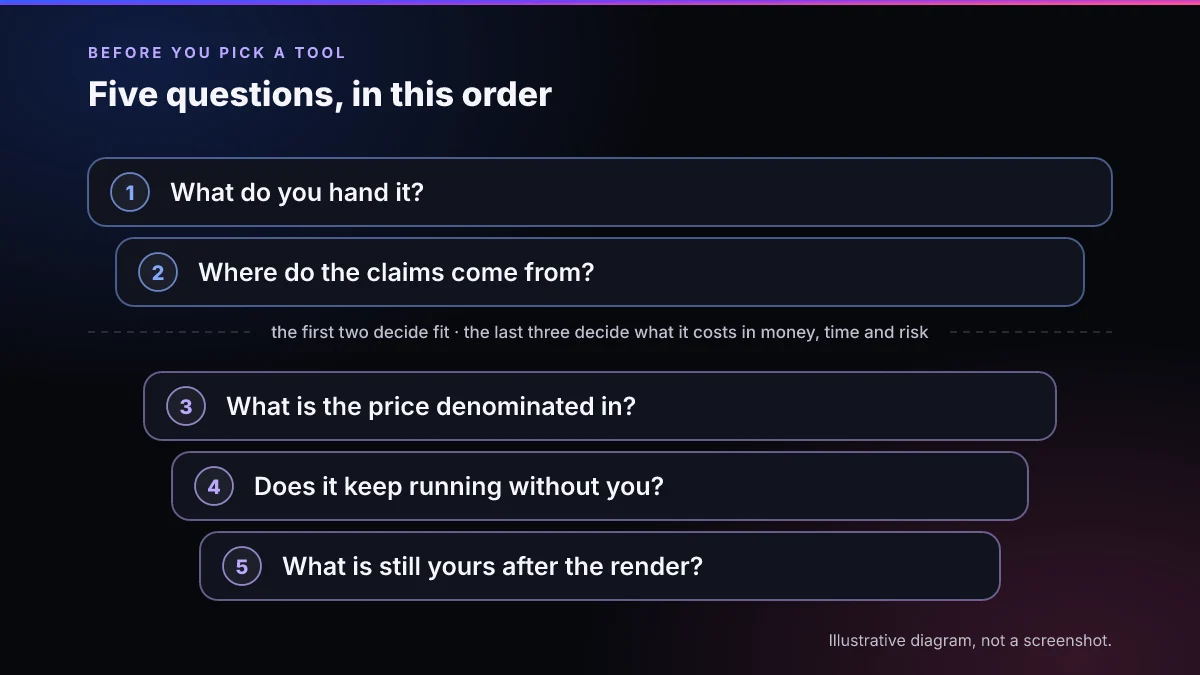
Five questions, and they are worth asking in this order: what you hand it, where the claims come from, what the price is denominated in, whether it keeps running without you, and what is still yours after the render. The first two decide whether the tool fits your workflow at all; the last three decide what it costs you in money, time and risk once it does. Feature lists answer none of them.
| The question | What a good answer looks like at a hundred listings | Why it decides the choice |
|---|---|---|
| 1. What do you hand it? | A product URL you already have, not a script you still have to write | Script-in tools make the writer the bottleneck. The gap does not show at five videos and is the whole cost at a hundred |
| 2. Where do the claims come from? | The listing’s own evidence — its review summary, buyer images, review text where the page still serves it | A script that invents a buyer’s experience is the thing 16 CFR §465.2(a)(2) describes: misrepresenting that the reviewer “used or otherwise had experience with the product” |
| 3. What is the price denominated in? | Something that converts into finished videos of the length you publish, without a second conversion | Credits per clip-second, credits per model, credits per seat and credits per video are four different units wearing one word |
| 4. Does it keep running without you? | A queue that survives a closed laptop, and error handling for the listings that fail to load | At catalog scale most of the work is retries and skips, not generation. A demo hides that; a hundred rows does not |
| 5. What is still yours after the render? | Assume: posting, the affiliate disclosure, and the decision about what is fit to publish | These are the steps that carry the legal exposure. On the vendor pages we opened on September 20, 2026 we found no tool that writes the disclosure or makes the fitness-to-publish call for you |
The shortlist: seven tools and what each one is for
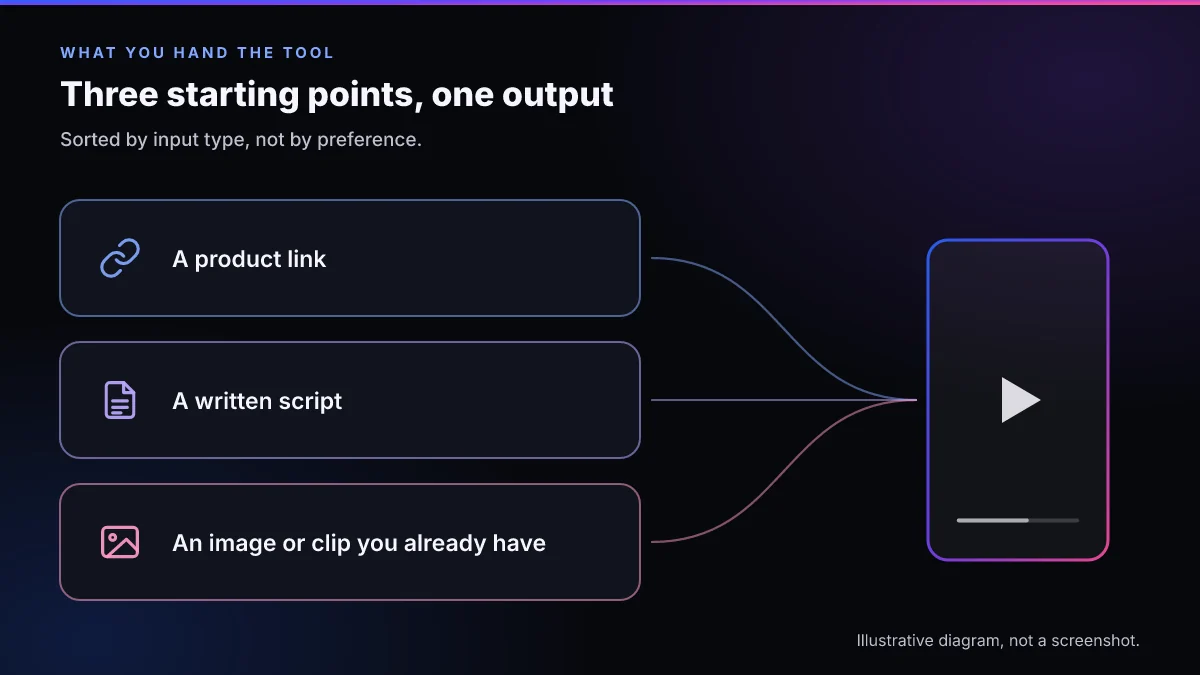
The table below is ordered by what you hand the tool, not by merit — link-in tools first, script-in tools next, the video-in tool after them, the do-it-yourself stack last — and alphabetically inside each group, which is why our own row is not the top one. Every cell describes something we read on the vendor’s own pages on September 20, 2026; where we could not read something, the cell says so rather than guessing.
Two rates are published; they are not the only rates LikeFlow charges. The published rules — 1 credit for a 30-second video, 5 for a UGC review video — are the rules this page divides by. Editing actions inside LikeFlow carry their own credit costs, each shown on the button that spends them before you click it. Those costs are not on the pricing page, so any video count or per-video figure on this page is the best case those two published rules allow, not a forecast of a working month.
| Tool | What you hand it | How its price is denominated | Batch shape | Free tier we found on the date we checked | Best fit for |
|---|---|---|---|---|---|
| Creatify | A link: “Turn any link into a ready-to-post video”, and it says it “Works with Meta, TikTok, Youtube, Snap, Amazon and more” | Credits, monthly — the figures and the arithmetic are on our Creatify pricing teardown | Its own wording: “Batch create a dozen variations at once” | A free plan is published, and its page states that free exports carry a watermark | Paid-ads teams testing many variants of one product |
| LikeFlow (ours) | A product link — the product-ads screen carries the line “Paste a product link (Amazon, Shopee, TikTok Shop...)” | Credits, denominated in videos: “1 credit = 1 30-second video”, with “UGC review videos use 5 credits each”. Two rates are published; they are not the only rates the product charges. The published rules — 1 credit for a 30-second video, 5 for a UGC review video — are the rules this page divides by. Editing actions inside LikeFlow carry their own credit costs, each shown on the button that spends them before you click it. Those costs are not on the pricing page, so any video count or per-video figure on this page is the best case those two published rules allow, not a forecast of a working month. | One at a time in the app. The spreadsheet runner is internal-only in the commercial product | 5 credits, no card required | Affiliates working from links and the listing’s review evidence |
| Topview | “Upload a product image or paste a link from Amazon, Shopify, or your website” | Credits per four-second clip, varying by model and by resolution | “Produce multiple variations for different hooks, products, and audiences” | We did not find a free plan on the pricing page we opened | People who want to pick the video model and will do the credit conversion themselves |
| Arcads | A script, performed by AI actors from its library | Not published on a page we could open: the /pricing URL we tried returned 404. What third-party trackers report, and how far they disagree, is on our Arcads pricing page | Several actor takes of the same script | We did not find a free plan on the pages we opened | Actor-led ad creative when the script already exists and works |
| HeyGen | Text, an image, an audio file or a slide deck, performed by an avatar | Credits. The pricing page we opened was served to us in another market’s localization, so we quote no figures from it | Not something we could confirm on the pages we opened | A free plan is published | Talking-head marketing, training and sales video rather than listing video |
| Pody | Product images or an uploaded video; we did not find a product-URL field on the page we opened | Credits, monthly — the comparison lives on our Pody page | Variations remade from a reference video | A free plan is published | Remaking one winning video into many variants |
| Roll your own | Whatever you write the scraper to fetch | Per part: scraper, language model, voice, editor, and the automation layer that joins them | As good as the queue and the error handling you build | Not applicable — your time is the cost | Engineers who want the pipeline to be theirs, permanently |
Creatify — link in, built around ad variants
Creatify takes a link and points the output at paid social rather than at a listing page: it describes itself as turning “any link into a ready-to-post video” and says it “Works with Meta, TikTok, Youtube, Snap, Amazon and more”, read September 20, 2026. Its own homepage frames the volume story as “Batch create a dozen variations at once”, which is the right shape for testing hooks on one product and a different shape from producing one video each for many products. We keep its numbers off this page on purpose; they are on Creatify Pricing Explained with their access date.
LikeFlow — link in, review evidence out
Ours, so read this one with the disclosure above in mind. You paste a marketplace link and it builds the video from what the listing gives it; the product-ads screen carries the line “Paste a product link (Amazon, Shopee, TikTok Shop...)”, read in the product’s own source on September 20, 2026, and the input box under it takes a URL. The part worth knowing is a restriction rather than a feature: the review-based angles refuse to run when the listing has no review evidence, and the app says so in two strings — “Customer review evidence required” and “Product lacks review evidence.” — read in the same source on the same date. Pricing is published in videos rather than in seconds of footage: “1 credit = 1 30-second video”, and “UGC review videos use 5 credits each”, both read on likeflow.ai September 20, 2026. Two rates are published; they are not the only rates the product charges. The published rules — 1 credit for a 30-second video, 5 for a UGC review video — are the rules this page divides by. Editing actions inside LikeFlow carry their own credit costs, each shown on the button that spends them before you click it. Those costs are not on the pricing page, so any video count or per-video figure on this page is the best case those two published rules allow, not a forecast of a working month.
Topview — link in, priced per clip
Topview accepts the same starting point — “Upload a product image or paste a link from Amazon, Shopify, or your website” — and lets you choose the underlying video model. That choice is also where the pricing complexity sits: the price list is denominated in credits per four-second clip and changes with the model and the resolution you pick, so a thirty-second video is a multiplication you do rather than a number you read. On September 20, 2026 every plan row that carried a price on the pricing page we opened showed a struck-through figure and a percentage-off badge, with the annual term selected by default, so the rate a reader would copy that day was a promotional one; we have therefore quoted none of them here. We also did not find a free plan on that page.
Arcads — script in, actors out
Arcads is the clearest example of a script-in tool: you bring the words, its actor library performs them. For an affiliate with a list of ASINs and no scripts, that is the wrong end of the pipeline — but for a hook you already know converts, it is a fast way to get a dozen readings of it. Pricing is the awkward part: on September 20, 2026 the /pricing URL we tried returned 404 and we found no price on the homepage, which is why our Arcads page is built out of third-party trackers and is explicit about how much they disagree.
HeyGen — an avatar studio, not a listing tool
HeyGen belongs on the list because affiliates keep being pointed at it, and it is worth being clear about the fit. Both pages we opened on September 20, 2026 were served to us in another market’s localization, so this row describes rather than quotes: it takes text, an image, an audio file or a deck and has an avatar perform it, and it markets itself around marketing, training and sales video. We did not find an e-commerce product-URL input on those pages. If your workflow starts at a listing, that is a mismatch at question one, not a shortcoming of the product.
Pody — video in, variants out
Pody starts from creative you already have rather than from a product page: on the page we opened on September 20, 2026 the inputs were product images and uploaded video, and we did not find a product-URL field. That makes it a remake tool more than a listing tool, which is a genuinely useful thing to own if one of your videos is working and you want twenty more like it. The head-to-head is on our Pody page.
Roll your own — a real option, with a real bill
A scraper, a language model for the script, a text-to-speech voice, a renderer, and an automation layer to join them: this is what a lot of affiliates are running, and it is not a worse answer. It is a different kind of cost. You own every failure mode — the listing that will not load, the model that returns nothing, the render that dies at midnight — and maintenance never ends, because every piece of it is a vendor who can change an interface on you. Choose it when the pipeline itself is something you want to own.
Why this page prints no competitor prices
Because we checked them, and they would not hold still. On one vendor’s pricing page every plan row that carried a price showed a struck-through figure and a percentage-off badge on September 20, 2026, which means the number a reader would copy is a promotional one with an expiry nobody states. On another, the pricing URL we tried that day returned 404 and the homepage showed a limited-time offer instead of a rate. A third served its plans page to us in another market’s localization. We have also watched pages in this category drop a line and put it back within days.
A comparison page built on numbers like those is wrong within a week, and a wrong number about somebody else’s price is not a typo — it is a comparative claim, and we would rather publish a page that is still true next month. So the structure lives here, and the arithmetic lives on pages that do nothing else and carry their own access dates: Creatify Pricing Explained and Arcads Pricing Explained. When you check a vendor yourself, note the date next to the number. It is the only thing that makes the number reusable.
Which one should you choose?
Choose a link-in product-video tool if your input is a list of product pages and your problem is throughput. That is Creatify, LikeFlow and Topview on this list, and the tie-breakers between them are the three later questions: what the price converts into, whether the run survives you closing the laptop, and where the claims in the script come from.
Choose a script-in actor tool if you already have a hook that converts and the missing piece is a convincing performance of it. Arcads is built for exactly that, and HeyGen for the adjacent job of a presenter delivering a message that was never a listing in the first place.
Choose Pody if your starting material is a video rather than a page. Choose the roll-your-own stack if you want the pipeline to be an asset you own rather than a subscription you rent, and you have somewhere to put the maintenance.
Choose LikeFlow if you want the link-in path with the review-evidence restriction attached — and read the next section first, because there is one thing people arrive expecting from us that they cannot buy today.
Where LikeFlow loses
The most useful thing we can put on a page like this is the list of reasons to pick somebody else.
- The spreadsheet runner is not yours. Our own affiliate team runs batches from a Google Sheet, and that path is locked to internal accounts in the commercial product — the routing rule says so in one line, “Batch-gen (Google Sheet automation) stays internal-only in the commercial product”, and the endpoint answers outside accounts with “Batch-gen is restricted to internal accounts.” Both read in LikeFlow’s own source on September 20, 2026. If you are buying a subscription to point it at a sheet of a hundred ASINs today, you are buying the wrong thing.
- Two rates are published; they are not the only rates the product charges. The published rules — 1 credit for a 30-second video, 5 for a UGC review video — are the rules this page divides by. Editing actions inside the product carry their own credit costs, each shown on the button that spends them before you click it. Those costs are not on the pricing page, so any video count or per-video figure on this page is the best case those two published rules allow, not a forecast of a working month.
- Nothing posts for you. No scheduling, no publishing to TikTok Shop, no uploading. You get a file.
- No client workspaces or multi-account management. If you run video for other people’s stores and need them separated, that is not here.
- It does not clone your face or voice. The presenter library is a fixed library.
- The review-evidence restriction cuts both ways. It is the right default for compliance, and it is an obstacle on a listing that is too new to have reviews. For that catalog, a script-in actor tool will get you further.
None of that is unusual in this category — most of the list has some version of the same gaps. It matters here because we are the ones selling to you on this page, and a shortlist written by a vendor is only worth reading if the vendor’s own row is the honest one.